 Browser extension
Check any firm against 19,000+ LPs, on their own website
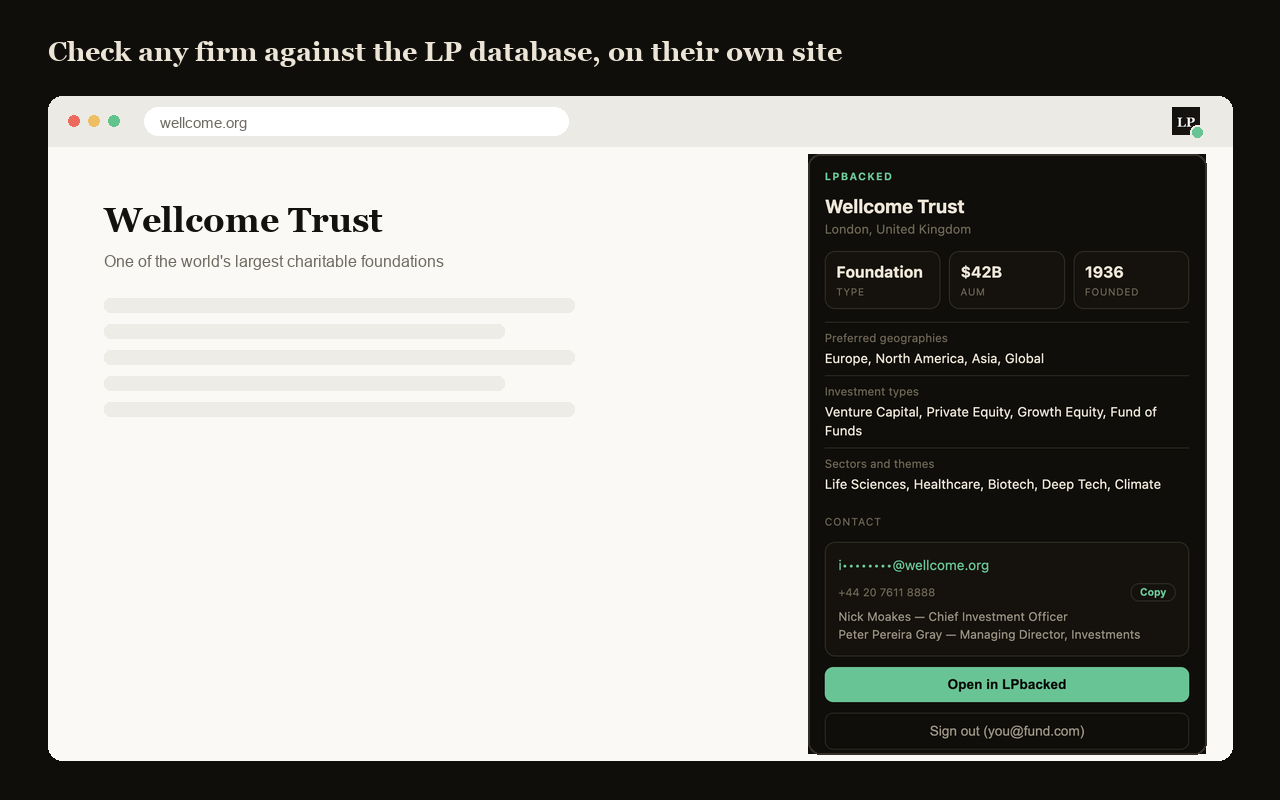
You land on a family office's site and the same question comes up every time: do they even allocate to funds like mine? The LPbacked extension answers it before you write the email — firm type, AUM, mandate and contacts, in the tab you already have open.
Included with every paid plan and every team seat. No separate purchase.
How it works
Three steps, and only the first one is work.
Install it and sign in
One click from the Chrome Web Store, then sign in with the LPbacked account you already pay for.
Open a firm's website
Any allocator site — a family office, a foundation, a pension. The toolbar icon tells you whether we hold a record before you click.
Read the record
Type, AUM, year founded, mandate, and the contacts, with one-click copy. Open the full profile in LPbacked when you want more.
What a record actually tells you
- Are they even an LP?
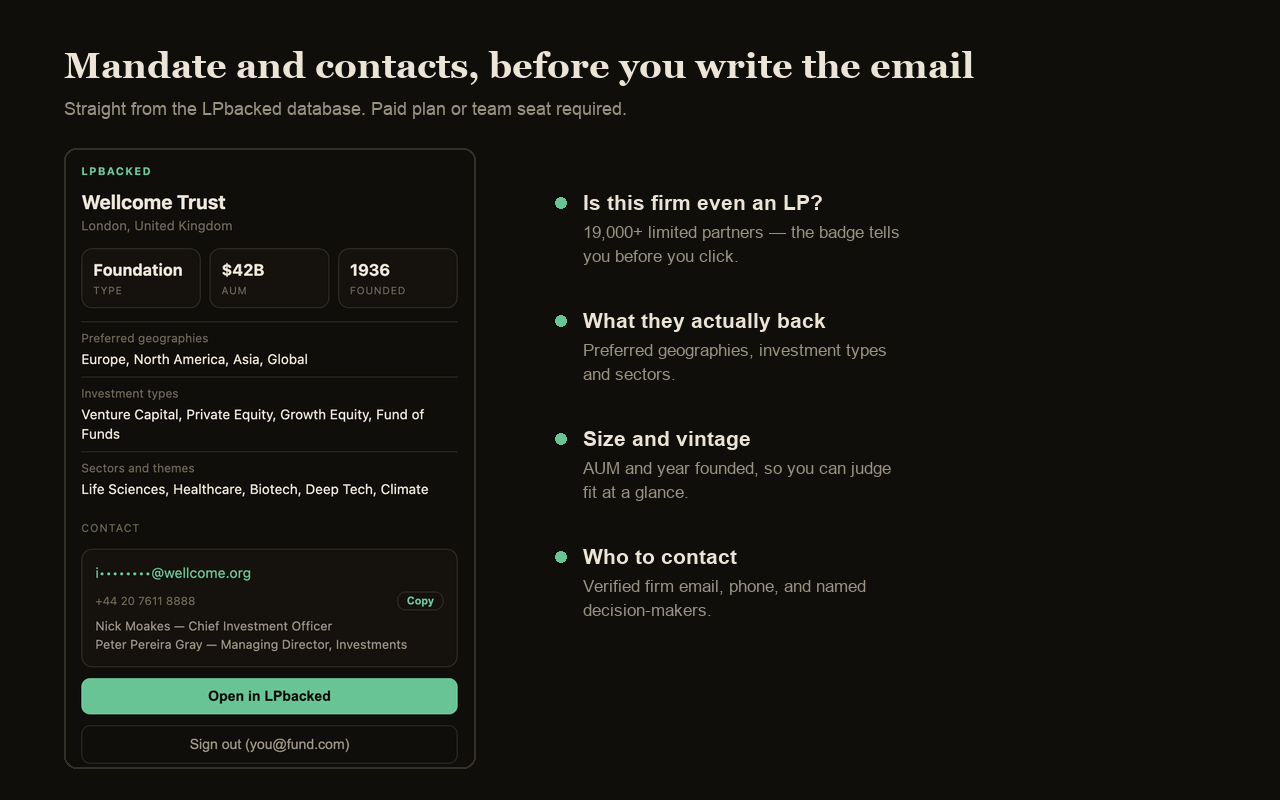
- The badge answers that before you click. 19,463 limited partners across 133 countries.
- What they back
- Preferred geographies, investment types and sectors — the fields that decide whether you are a fit at all.
- Size and vintage
- Assets under management and year founded, so you can judge whether your raise is their size.
- Who to contact
- Firm email, phone, and named decision-makers, with one-click copy straight into your outreach.
What it does not do
A browser extension sees a lot by default. This one is built to see as little as possible: it reads the hostname of your active tab and nothing else. Not the page, not the path, not your history. There are no content scripts, so nothing is injected into the sites you visit, and it talks to no server other than ours.
Your session is stored on your own device and every lookup is authorised server-side against your subscription. Full detail in the extension privacy policy.
Frequently asked questions
What does the LPbacked extension do?
When you're on a firm's website, it tells you whether that firm is a limited partner in the LPbacked database — and if so, shows their firm type, assets under management, year founded, stated mandate, and contact details, without leaving the page.
Do I need a paid plan?
Yes. The extension is included at no extra cost with any paid LPbacked plan, and with an accepted team seat on someone else’s plan. Free accounts can sign in but will be asked to upgrade before any data is shown.
Which firms does it cover?
Every limited partner in the LPbacked database that we can resolve to a website — family offices, foundations, endowments, pensions, sovereign wealth funds, funds of funds, wealth managers and insurance allocators across 133 countries.
Does it read the pages I visit?
No. It reads only the hostname of the active tab, for example "wellcome.org". It never reads page content, URLs, paths or your browsing history, and it injects no scripts into the sites you visit.
Where does the data come from?
The same database that powers the LPbacked web app: regulatory filings, public disclosures and direct research, refreshed continuously. The extension is a different way into it, not a different dataset.
Which browsers does it work in?
Chrome, and any Chromium-based browser that installs from the Chrome Web Store — including Edge, Brave and Arc.
Explore the database behind it
Stop pasting domains into a database
The extension comes with every paid LPbacked plan, including the two seats on the annual plan. Nothing extra to buy.